Design Exploration | Final Compilation
22.09.2025 - 04.01.2026 Week 01 - Week 15
After the analysis, I found that I'm still lack of coding skills and I need to practice with some adobe app since most of the job need us to be professional on it. Another weakness which is developing a game still need more practices.
And the next part which is to do the user flow chart. (Please view the figjam for better quality preview).
I start to do my art directions later once the content is fixed. For the style, I rely on 2d illustration with a thin line art. The theme for this is a classic and hand drawn line for the font.
I start to create the scene 2 first because I still need to figure out idea to draw the starting page.
All Scene 2-7 :
Once all sketches have been finalized, I start to do the color exploration.
Since I only have color for overall the pizza look, I decided to explore more the color for background and atmosphere and I think the blue background matched with yellow, orange and brown.
I continue the rest sketches except for scene 2 since it requires various color (the clothes, drawer, wall, etc). At the end of this week I manage to complete 80% color for the scene except for scene 8 and 2.
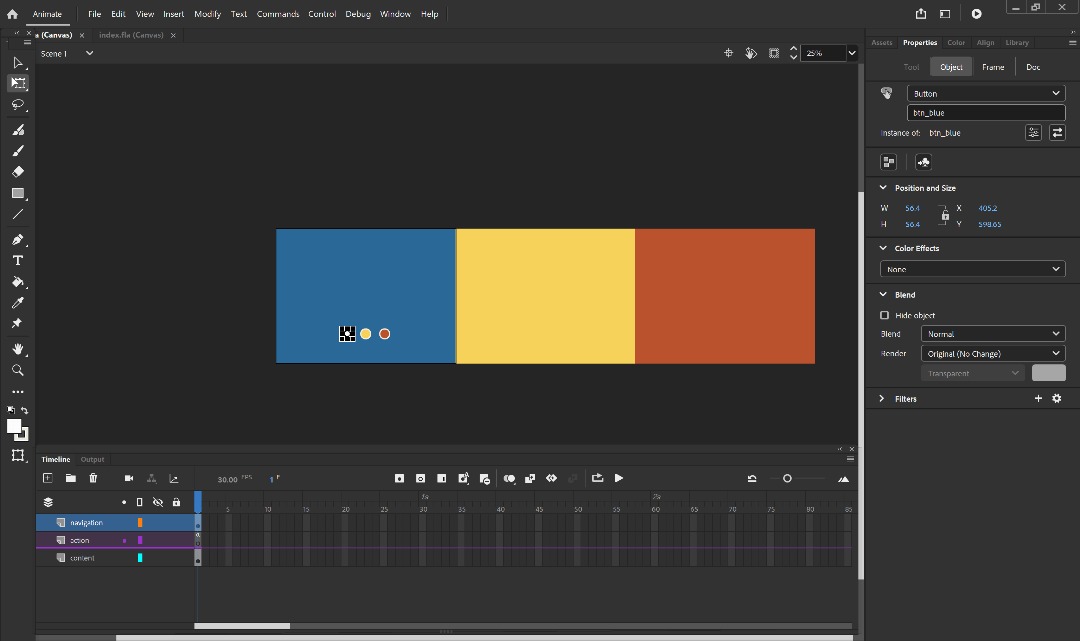
After I finalize all the scenes, next I move to animate some parts which is for scene 2 and 6. I focused on frame by frame animation as I'm comfortable with it. I make the frame in Ibis Paint and Combine it all in Photoshop for better quality.
Animation Preview :
And then for the last scene, I find it a bit boring if the background was empty so I decided to create a starburst effect in figma. Mr. Asrizal also told me to create an indicator / navigation bar for the website, and I designed it like a hamburger menu on the right side. I draw a notes to symolize this since this item were related in the kitchen scene as people usually stick it in wall or refrigerator.
After that, I started to move the folder into visual studio code. I never use visual studio to code before and I decided to give a try. At first I move my folder and create a new file for HTML, CSS and JS. Then I start code for my first scene.
After I replace the GIF, I moved to the scene 3 for the next part. For this scene, I reuse back the float text animation and then change the mouse into roller when it enter the board using js. I also added an effect "Oops!" and shake background when mouse leave.
The next scene (Scene 4) is challenging because I need to play with JS to control the result when user click the sauce. I start with the sauce bottle coding and after that, I moved to the next part to create the function.
For the responsiveness, since I aim this product to be landscape view, I make a notice for a small screen to view on desktop for a better experiences.
And with that, the project is done and I publish it on Netlify.
Notes : Website got lag a bit for first try. Try to refresh it to get back normal :).
Tracy Angeline Tio / 0362222 / Bachelor of Design ( Honors ) in Creative Media
Design Exploration / Taylor's University
FINAL COMPILATION
TABLE OF CONTENTS
LECTURES
WEEK 1
On the first week, Mr. Asrizal explained what are we gonna do through 14 weeks of this module. He presented the MIB and showing an explanation about current portfolio to industry outlook, along with some work example from previous semester student.
 |
| Fig 3.1 Class Documentation Week 01 22/09/2025 |
WEEK 2-14
Consultation Log.
INSTRUCTIONS
MIB BOOKLET :
WORK PROGRESS
Week 01 - Project Briefing & Research on Job Market
For the first week, Mr. Asrizal has explained to us about the project directions we need to do it, including two factors we need to consider which are Current Portfolio and Industry Outlook.
Firstly, I gathered all my projects that I have done previously and categorize it. View on the Figjam down or in this image below.
 |
| Fig 3.1 My Current Portfolio Week 01 22/09/2025 |
After I listed all my portfolio inside figjam, I began to research on the job market app / website through linkedin. jobstreet and company website. I summarize every key findings I got from it. There were 3 job categories that kinda match with my portfolio.
UI/ UX Designer Requirements :
- Proficiency in design tools and front-end basics (Figma, Adobe XD, Photoshop, Illustrator; HTML/CSS/JS preferred).
- Strong design expertise in user-centered design, usability, accessibility, and creating engaging digital experiences.
- Collaboration and communication skills to work with cross-functional teams and present design concepts clearly.
- Awareness of trends and innovation, including AR/VR, AI, and interactive technologies.
- Education, experience, and professional qualities – design-related degree, solid portfolio, 1–4+ years of experience, attention to detail, and adaptability.
Game Design / Development Requirements :
- Knowledge of game engines (Unity, Unreal, Cocos).
- Skills in art & graphics: 2D/3D modeling, texture, animation, digital art, interface design, prototyping.
- Basic knowledge of C++, C#, Python, or Visual Scripting (Blueprint).
- Knowledge of game mechanics, systems balancing, monetization (for mobile games) is needed in more advanced roles.
Graphic Designer (Additional Search) Requirements :
- Proficiency in Adobe Creative Suite (e.g., Photoshop, Illustrator, Indesign).
- Strong understanding through brand corporate identity and guidelines.
- Familiarity with social media platforms and current digital trends.
- Curious about generative AI tools like MidJourney, DALL·E, Firefly or Runway — or already tinkering with them.
- Strong eye for design: layout, typography, and visual storytelling.
 |
| Fig 3.2 Industry Outlook Research Week 01 22/09/2025 |
 |
| Fig 3.3 Findings Week 01 22/09/2025 |
To increase skills that I'm still lacking on, below are my project ideas to help me improving my skills :
- Interactive & Storytelling Website (Find one problem, illustrate it and code it).
- Improving Game Skills (Studying C+, Script, Mechanics)
- Exploring other field (graphic design)
Week 02 - Chosen Idea Planning
On the next week, I consulted with Mr. Asrizal regarding on my project ideas. I was asked to select one between website coding or branding (graphic design field). At the end, I select website for this project because it align well with my specialization and this project seems new to me which it was challenging.
To began on, below are the list of the topic I want to pursue as a website content :
- Mental Health Problem (Depression, Lonely)
- Indonesia Culture (Nusantara)
- Physical Health - Informative and Storytelling
- Animal / Plant
- Food
Brainstorm Process : Figjam Link
Fig 3.4 Project Brainstorm Week 02 29/09/2025
From this topic, I need to select one and start to find a references for the website art style.
Week 03 - Content Planning
This week we continue our progress and showed to Mr. Asrizal as a part of the progress. I started to finalize my selected topic. At first, I want to do Animal theme website and I choose Hamster but I felt it was too hard to planning the content and interactions later, which would led to a nonsense.
At the end, I changed my topic into something I was interested about, which is Food ! Specifically, I go with Pizza for the content because Pizza have many procedure to make and I could adapt the procedure into animated and interactive features in my website.
For the content, I focused on specific pizza flavour "Hawaiian Pizza". I have write my content in the figjam as shown below.
 |
| Fig 3.5 Web Content Week 03 11/10/2025 |
 |
| Fig 3.6 User Flow Chart Week 03 11/10/2025 |
 |
| Fig 3.7 Art Directions Week 03 12/10/2025 |
Week 04 - Scene Sketches
This week, we didn't have a physical class and our task is to send a progress to Mr. Asrizal via Teams. I asked him for my topic and content for approvement and he said I can proceed.
Once the topic got approved on this week, I began to do the rough sketches to see how it works. This is my first attempt before I make the polished sketch version.
 |
| Fig 3.8 Storyboard Planning Week 04 18/10/2025 |
 |
| Fig 3.9 Scene Progress Week 04 18/10/2025 |
 |
| Fig 3.10 Week 4 Overall Progress Week 04 18/10/2025 |
Week 05 - Continue Sketch and Began Coloring
This time is a public holiday so we don't have a consultation session. I start to continue on the sketch I haven't finished (scene 1 and 8) and applied the color and typography to see if its match or not.
Scene 1 and 8 :
 |
| Fig 3.11 Scene 1 and 8 Sketches Week 05 24/10/2025 |
 |
| Fig 3.12 Coloring Progress Week 05 25/10/2025 |
 |
| Fig 3.13 Updated Color Palette Week 05 25/10/2025 |
 |
| Fig 3.14 All Scene List (View in Figjam for Better Quality) Week 05 26/10/2025 |
Week 06 - Finalize Color and Began Animation
Due to some reason, there were no class on this week and we continue with our progress. I compiled all the scene to send the progress for Mr. Asrizal and colored scene 2 and 8 before I started animating some scene.
 |
| Fig 3.15 Scene Remains Colored Week 06 31/10/2025 |
 |
| Fig 3.16 Animation Process Week 06 02/11/2025 |
Fig 3.17 Scene 2 Animation Week 06 02/11/2025
Fig 3.18 Scene 6 Animation Week 06 02/11/2025
Week 07 - Working on Prototypes
Our class were conducted physical on this week and I showed my progress to Mr. Asrizal. He said animation for scene 6 is fine and asked me to refine scene 2 drawings if possible since the chin looks weird.
For this week, I focused to save all my assets one by one and start move it all into figma to see how the prototype looks.
 |
| Fig 3.19 Saving Assets Week 07 09/11/2025 |
Week 08 - Compile Assets
This week I was worked in Figma to structure all my assets and adding the narrative text as well.
 |
| Fig 3.18 Working Progress in Figma Week 08 10/11/2025 |
 |
| Fig 3.19 Starburst Effect Week 08 16/11/2025 |
 |
| Fig 3.20 Hamburger Menu Week 08 16/11/2025 |
Week 09 - Finalize Prototypes and Organize Assets
This week, I have started to finalize the prototypes in Figma and show it to Mr. Asrizal. He said the prototypes looks fine and I can start move to the coding phases since the design phases is finished.
Figma Link : HERE
Fig 3.21 Final Prototypes Week 09 17/11/2025
Then, I made a folder for each scene and place the assets on that. Organize things would make my task easier later.
Week 10 - Organize Assets and Start Coding Scene 1 and 2
This time, I have started to export each of the illustration into the folder. I separate every scenes assets.
 |
| Fig 3.22 Assets Week 10 24/11/2025 |
 |
| Fig 3.23 CSS Scene 1 Week 10 30/11/2025 |
The process at start took a long of time especially when I have to positioned all elements carefully. To make the first page attractive, I create a float animation for the cloud. Soon I realize that the cloud image is blur and dull. It also got some white outline, so I fixed it using pen tool from figma to redraw it again.
 |
| Fig 3.24 Preview on Scene 1 Week 10 30/11/2025 |
 |
| Fig 3.25 Cloud Revision (Before Top, After Bottom) Week 10 30/11/2025 |
By using javascript menu btn toggle, it will control the panel when user click the button.
 |
| Fig 3.26 Scene 1 Preview and JS Week 10 30/11/2025 |
And then next I moved to the scene 2 which is GSAP animation for the text. With AI help, I manage to make it work after the trial and error. There are scroll float with ease out effect, make it looks like cheese melt effect since this website is about pizza.
 |
| Fig 3.27 Scene 2 Text Preview Week 10 30/11/2025 |
 |
| Fig 3.28 Scroll Float Animation JS Week 10 30/11/2025 |
Week 11 - Illustration Revision and Continue Coding Scene 2,3,4
This week, I continue for my scene 2 GIF Coding and manage to make it work. By using JS, I control it to play once and start to play when user enter the screen.
 |
| Fig 3.29 Scene 2 GIF Progress Week 11 01/12/2025 |
Based on Mr. Asrizal feedback for the chin, I redraw it by this week. More than people, I cleaned up the outline and make it to have the same thickness. View the comparison on this image.
 |
| Fig 3.30 Illustration Comparison Week 11 03/12/2025 |
 |
| Fig 3.31 New GIF Attempt Week 11 05/12/2025 |
 |
| Fig 3.32 Scene 3 Looks Week 11 06/12/2025 |
 |
| Fig 3.33 Scene 4 Part 1 Week 11 06/12/2025 |
 |
| Fig 3.34 Scene 4 Part 2 Week 11 07/12/2025 |
Week 12 - Coding Scene 4,5
By this week, I start to add margin top for scene 4 and then began the scene 5. I also added up an option when user doesn’t pick a sauce because when I lock the page, it’s not efficient and I do have progress bar which could affect the experiences.
 |
| Fig 3.35 Skip Sauce Result Week 12 13/12/2025 |
For the next scene, it's a bit hard to do at first but with AI help, I manage to make it works.
 |
| Fig 3.36 Scene 5 Drag Toppings Week 12 13/12/2025 |
Week 13 - Coding Scene 6,7
This time I continue doing scene 6 and 7. There were not much progress during this week since I focused to finish up other modules work.
 |
| Fig 3.37 Scene 6 Baking Week 13 20/12/2025 |
 |
| Fig 3.38 JS Code Week 13 20/12/2025 |
 |
| Fig 3.39 Scene 7 Final Sauce Selection Week 13 20/12/2025 |
Week 14 - Coding Scene 8, Adding Sound Effect and Landing Page
I continue to finish up remaining page which is scene 8. This page uses the same concept as the tomato and bbq. If user skip this scene, the table would not show any sauces.
 |
| Fig 3.40 Scene 8 Week 14 27/12/2025 |
Then after I finished all the scenes, I continue to customize the website like scroll bar and favicon. Here I drew another pizza slices.
 |
| Fig 3.41 Custom Scroll Bar and Favicon Week 14 27/12/2025 |
Before I create the landing page, I do want to add background music and play it once the website started to load. But based on the information I got for browser security, we need to click something in order to play the music. This make me think that I need to have some page before it start to load to the main page, so I designed a landing page.
 |
| Fig 3.42 Landing Page Option Week 14 27/12/2025 |
I selected option 3 as the final and start to code it. This is the preview.
 |
| Fig 3.43 Landing Page Week 14 27/12/2025 |
Week 15 - Responsive Design, Publish Site & Final Presentation
This is the final week and I started to finalize the website before I publish. At the same time, I also created a presentation slides and start to record.
 |
| Fig 3.44 Slides Design Week 15 01/01/2026 |
 |
| Fig 3.45 Desktop Notice Week 15 01/01/2026 |
FINAL OUTCOMES
Website Link : https://a-slice-of-home.netlify.app/
 |
| Fig 3.46 Website Preview Week 15 02/01/2026 |
Presentation Slides : HERE
Fig 3.47 Presentation Slides Week 15 02/01/2025
Final Presentation Video & Walkthrough
Presentation Video : HERE
Fig 3.48 Final Presentation Week 15 03/01/2025
Walkthrough Video : HERE
Fig 3.49 Website Walkthrough Video Week 15 03/01/2025
FEEDBACK
Week 2
- You need to select one which one you want to do and how it would align with what industry needs. After confirmed, can start planning the content and moodboard.
Week 3
- Deadline should be around week 5 for task 1
- Topic is fine and next week should showed the moodboard / illustration references along with content planning and user flow chart.
Week 4
- Can start proceed to sketch the website.
Week 5
- Continue the sketches and try to color 1 scene to finalize the stylization by the next week.
Week 6
- Looking good for overall color. Continue to finish the overall color.
Week 7
- For the scene 2, the head position for men and women should be facing straight to the object. Chin position could be adjusted.
Week 8
- Think about the user experience for the website. You can added like indicator for user so they would know where they are now and could go back to the scene they want to. In other words, it means like a navigation bar.
Week 9
- Prototype looks good and design phases is finished. Can start move on to code the interactivity.
Week 10
- Continue to work since I got not much progress for this week.
Week 11
- Looks good, Continue the Progress. Make sure the menu bar could appear in all scene.
Week 12
- Overall Website looks fine. Continue to finish it.
Week 13
- No Feedback Given
REFLECTIONS
Working on Design Exploration project was a great experiences I receive. I think doing this project was challenging and impactful at the same time because this is the first time I'm using javascript to code. HTML and CSS were fine for me but JS is a bit hard to understand.
I rely on AI so much during this project and most of my code also were generated by AI. We need to know that AI isnt perfect sometimes and not all of code works which really frustrate me. But overall I'm really thankful that AI made my works faster!
To conclude, I'm really satisfied with what I produce and at the end I could publish the site with no errors. Moreover, this projects really helps me build a strong foundation of understanding coding languange. In the future, I would love to create more sites with more interactivity to enhance user experiences.

Comments
Post a Comment